Turn Any Image Into AR Online with ARViewer
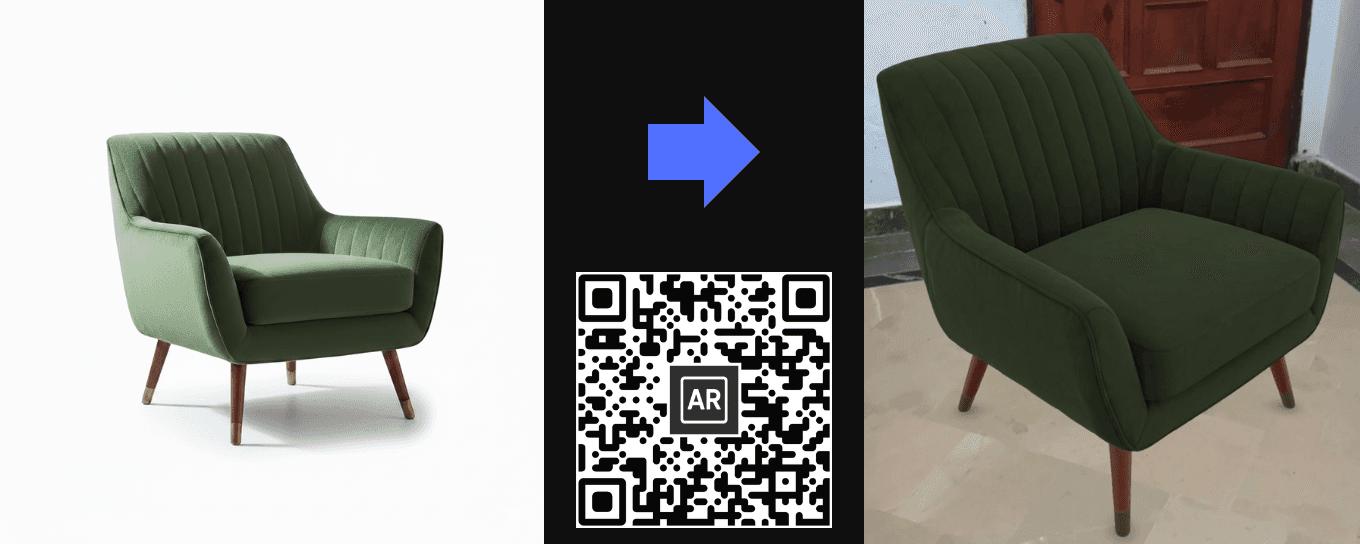
How to Turn Any Image into AR in 30 Seconds (No Coding)
Have you ever wanted your images to come to life in 3D? Maybe it’s a product photo, a sketch, or your own artwork.
Normally, creating Augmented Reality feels complicated. You think about coding, 3D modeling, expensive software, and hours of setup.
With ARViewer, you can turn any image into an interactive AR experience in just 30 seconds. No coding. No technical skills. Just upload and generate.
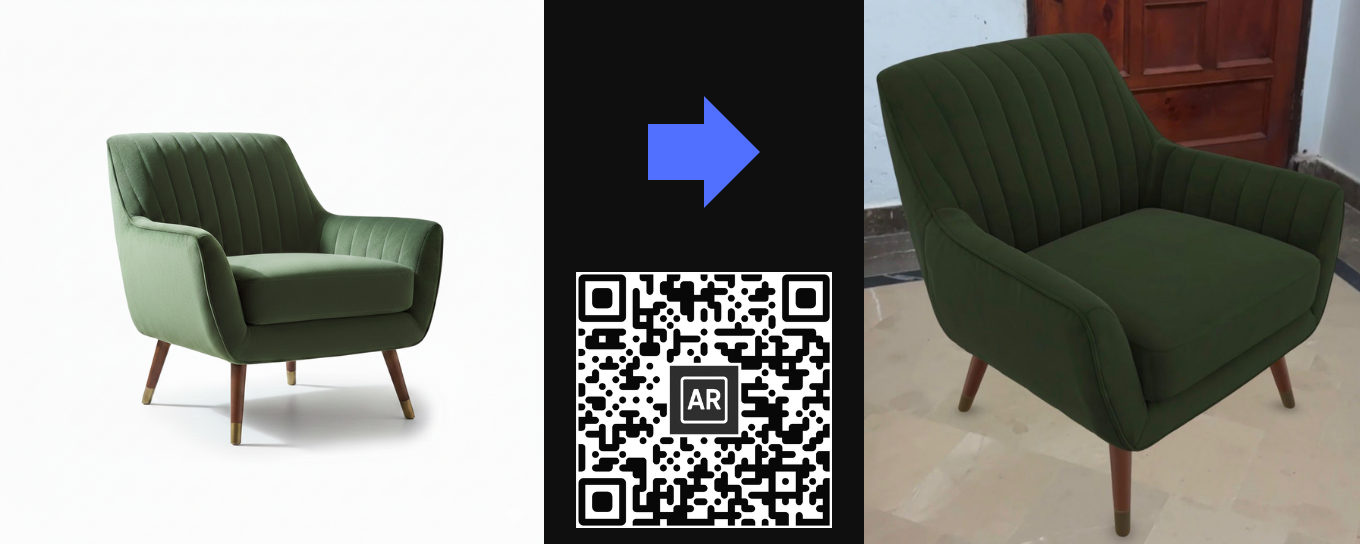
Scan the QR code above to view the demo.
Why Turn Images into AR?
Augmented Reality is no longer just for big tech companies. Today, brands, educators, freelancers, and creators are using AR to:
- Engage users in a more interactive way
- Increase product conversions
- Create memorable presentations
- Showcase art and designs in 3D
Imagine your customers viewing your product in 3D directly from their browser. They can rotate it, zoom in, and even place it in their real space using their phone.
That’s exactly what ARViewer makes possible.
Step by Step: Turn Your Image into AR
Step 1: Go to Upload
Sign up at:
https://www.arviewer.io/signup
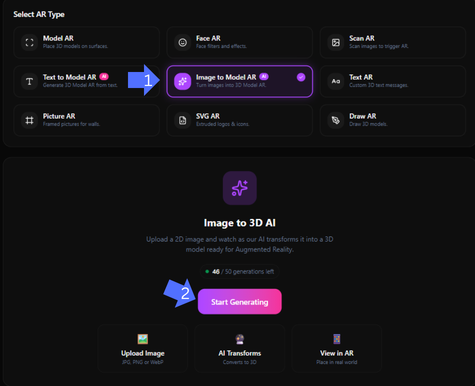
After logging in, go to the Upload page and select Image to Model AR. Then click Start Generating.
Step 2: Generate Your 3D Model
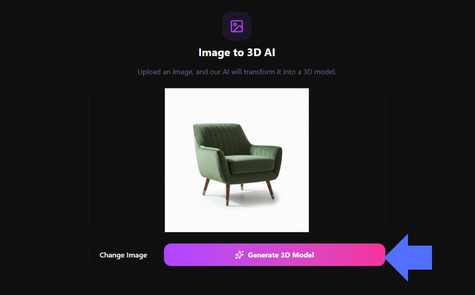
Upload a clear, high-resolution image of the object you want to convert. Make sure the object is visible and the background is not too cluttered.
Once uploaded, click Generate 3D Model and let ARViewer handle the rest.
Step 3: Preview and Publish
Your 3D model will be ready to preview instantly in the browser. You can:
- Rotate it
- Zoom in and out
- Resize it
- Interact with it in real time
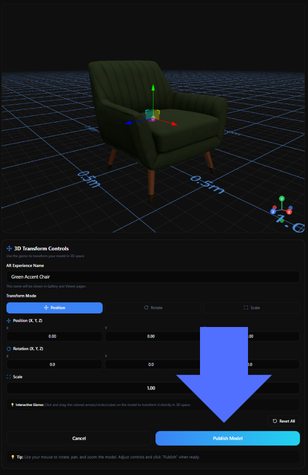
When you’re satisfied, click Publish.
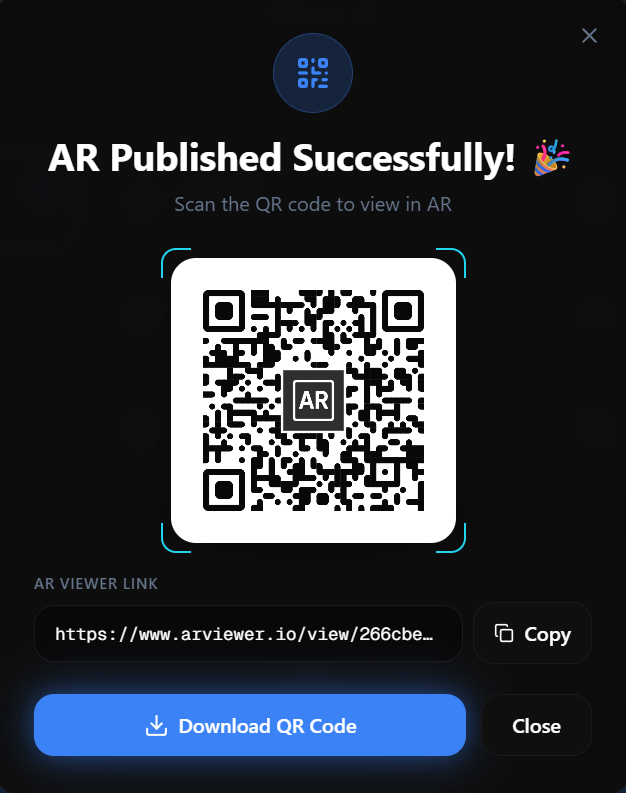
ARViewer will generate a QR code and a live link so anyone can view your model in 3D and AR.
Tips for Better Results
- Use high-quality images for sharper 3D models
- Keep the object centered and clearly visible
- Avoid busy or noisy backgrounds
- Test your model on mobile for the best AR experience
Try It Yourself
Your image can become interactive AR in seconds. No downloads. No complicated tools. Just upload and experience it.
Key Takeaways
- ARViewer makes AR accessible to everyone
- No technical knowledge required
- Perfect for creators, brands, educators, and hobbyists
- Helps increase engagement and user experience